From the My Tasks view, the Manage Tasks view, or the Projects, Libraries view, click a thumbnail of an element.
The files open in the Smart Review.
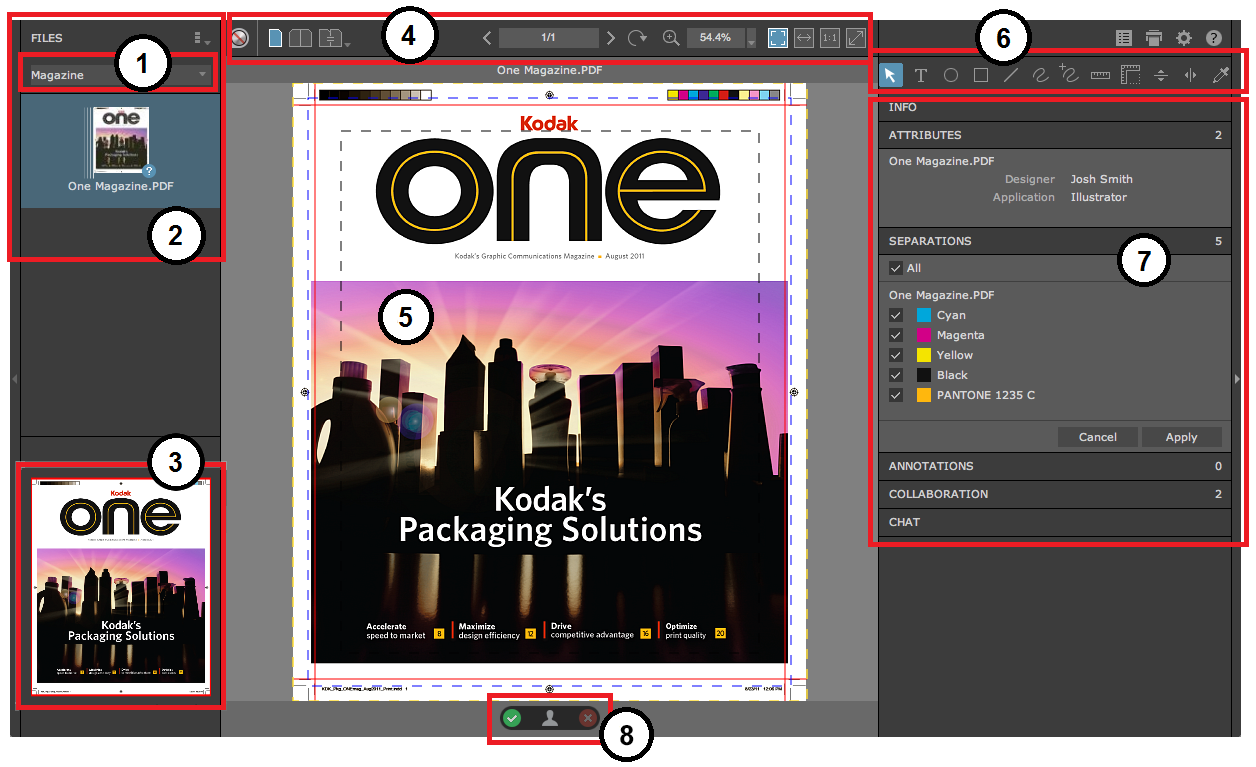
| Number | Area in the Smart Review window |
|---|
| 1 | Task list |
| 2 | Files list |
| 3 | Navigation tool |
| 4 | View and zoom tools |
| 5 | Canvas area |
| 6 | Annotation toolbar |
| 7 | Information panels (provide detailed information about the file, such as attributes and annotation details) |
| 8 | Approval and user status panel |
Smart Review tools
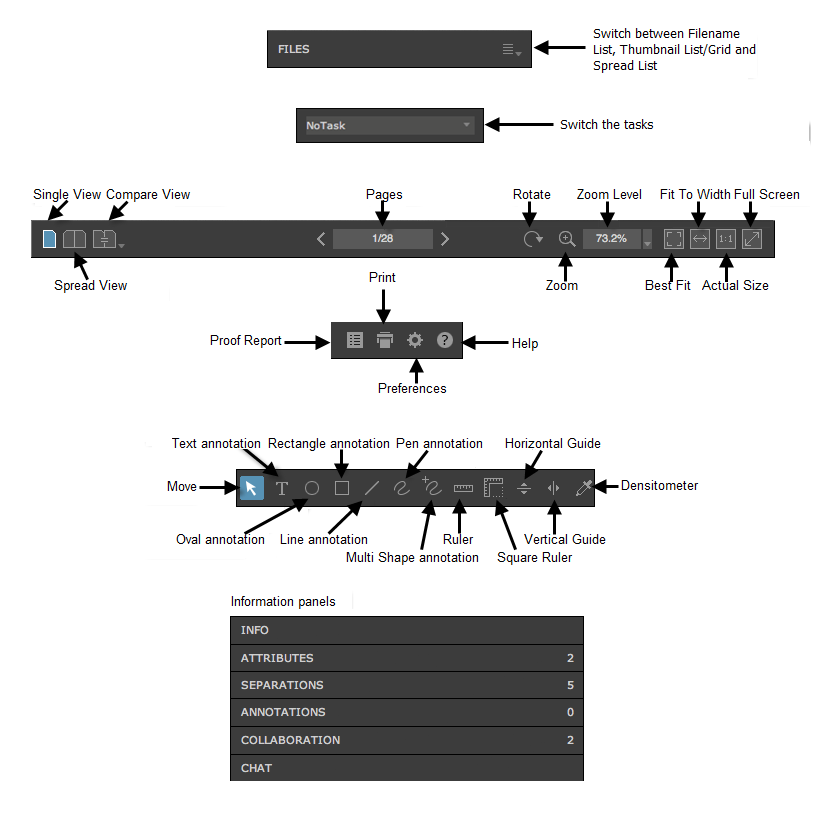
Smart Review Mobile Viewer
When you use a mobile or tablet device and browse InSite Creative Workflow on a Web browser and open a file, the file is opened in the Smart Review Mobile Viewer. The viewer has limited functionalities but still allows you to view (zoom and rotate) files, add annotations and set status.

| Number | Components in the Smart Review Mobile Viewer |
|---|
| 1 | Files list |
| 2 | Rotate button |
| 3 | Annotations button |
| 4 | Status button |
| 5 | Canvas area |