
...
- To quit MatchprintVirtual-SmartReview, click Open Application.
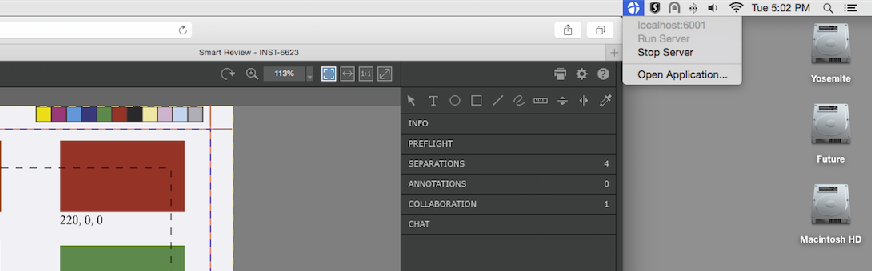
The application appears in the foreground. - Click the log window that appears.
- Select MatchprintVirtual-SmartReview and click Quit MV_Review.
While it is not recommended to switch users on Mac, you need to add the MatchprintVirtual-SmartReview application as an item that opens automatically when you log on for additional users:
Note: These steps are only required for additional users that share the Mac. The Websocket application will already be configured to open at logon for the user that installs Matchprint Virtual.Select Apple > System PreferencesSettings.
Click Users & Groups General > Login Items & Extensions.
Click the account whose settings you want to change.
Click Login Items.
- Click At the bottom of the Open at Login box, click +.
Browse to
Applications\Matchprint Virtual\MVP Shell App\Tools\MatchprintVirtual-SmartReviewand click Add.Click the lock icon to prevent additional changes to the settings.
Close the Users Login Items & Groups Extensions window.